
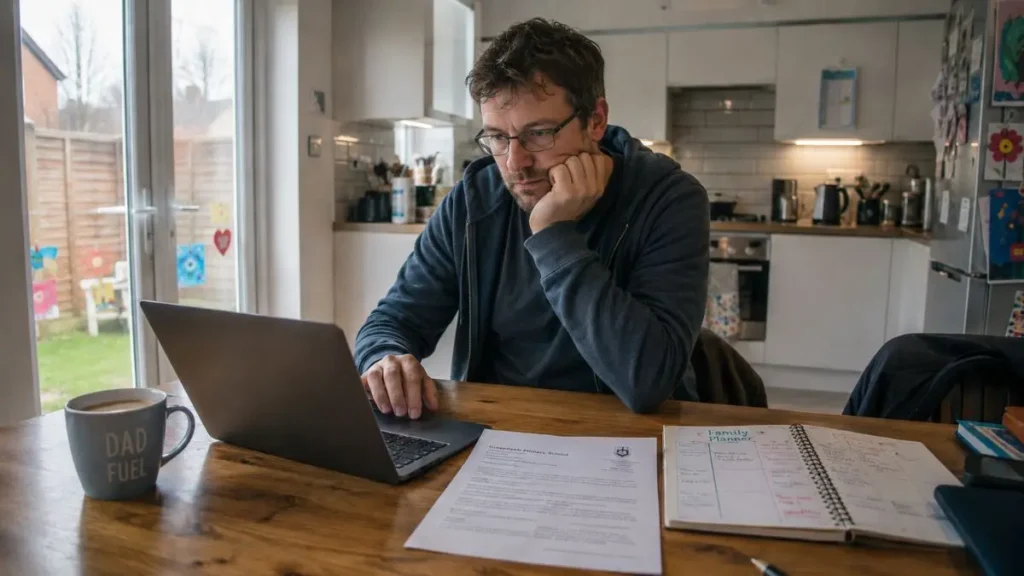
If you are curious about using AI but do not want to learn a load of prompt-engineering jargon first, this is the kind of article that makes the whole thing feel more manageable. The real value for most parents is not asking AI clever questions for the sake of it. It is using a few practical prompts to save time on ordinary family jobs such as school emails, meal planning, routines and activity ideas.
Quick summary
If you are wondering whether this is actually worth using in normal family life, the honest answer is yes, as long as you keep it practical.
For most parents, the useful part is not doing anything clever with AI. It is using a few decent prompts to make everyday jobs feel less effortful and easier to get started on.
AI prompts are just clear questions or instructions that help AI give more useful ideas for family tasks like school emails, meal planning and routines:
- AI prompts work best for parents when they are specific, practical and rooted in a real family job you are trying to get done.
- You do not need perfect wording. A decent prompt with the right details is usually enough to get a useful first draft.
- School emails, meal ideas, routines and activity planning are some of the easiest places to start because they often need structure more than deep judgement.
- The output still needs your edit, your tone and your common sense, especially if anything feels off, too formal or too confident.
- A simple formula such as task + context + child detail + limits + tone will usually get you much better results than a vague one-line request.
This article is for / not for
This article is for:
- Parents who want practical AI prompt examples rather than a general explainer
- Families looking for practical help with school admin, routines, meals and activities
- Parents who want to save time without sounding robotic
- Adults who like examples they can adapt and test straight away
This article is not for:
- Parents looking for a technical guide to AI or prompt engineering
- Anyone wanting AI to make important decisions for them
- Families looking for medical, legal or crisis advice from a chatbot
- Parents who mainly want one narrow topic in depth, such as only school emails or only meal planning

What makes an AI prompt useful for parents?
The goal is not to be clever. It is simply to give AI enough real-world detail to be useful.
A lot of people try AI once, type in a vague prompt (the question or instruction you give it) such as “write a school email” or “give me meal ideas”, get a bland answer back, and decide the whole thing is overhyped. Most of the time, the problem is not that the tool is useless. It is that the prompt is too thin.
In real family life, the better prompts are usually the ones that sound most like an actual situation. That means saying what you need, adding the bit of context that matters, and being clear about tone or limits.
For example, compare these two.
Weak prompt: “Write a school email about PE.”
Better prompt: “Write a short, polite email to my child’s primary school teacher explaining that my child has been anxious about PE lately and forgot their kit twice this week. I want to ask for a quick conversation without sounding defensive. Keep it warm, clear and natural.”
That second version is still simple, but it gives AI something real to work with. It knows the job, the context and the tone.
If you want the wider picture before you start using prompts more often, AI for Parents: Practical Ways to Use AI in Everyday Family Life explains where AI is genuinely useful and where it needs more caution.
A simple prompt formula that works better
The point is not to memorise a system. It is just to make sure AI gets enough useful detail to give you something better back.
You do not need a magic formula, but it helps to have a repeatable way to start. A useful pattern is:
Task + context + child detail + limits + tone
That sounds more complicated than it is. In practice, it just means telling the tool:
- Task: what you want it to do
- Context: what is going on
- Child detail: what relevant detail matters about your child or family situation, without adding personal or sensitive information
- Limits: any limits, such as budget, age, time or ingredients
- Tone: how you want the answer to sound
So instead of “plan dinners”, you might say:
“Give me five easy family dinner ideas using chicken, pasta, peppers and sweetcorn. Keep them budget-friendly, suitable for a family with one picky eater, and realistic for a weekday evening. Add a simple shopping list for anything extra.”
That one shift usually gets you from generic fluff to something much more usable.
AI prompts for school emails and school admin
School communication is one of the easiest ways to use AI well because the hard part is often not the facts. It is the wording. A lot of the stress comes from trying to sound clear, polite and not overly emotional when you are already tired.
I have found prompts are most useful here when I already know roughly what I want to say, but want help saying it more clearly and calmly.
You could try prompts like these:
- “Write a short, polite email to my child’s teacher explaining that my child has been anxious about PE and I would like a quick conversation. Keep it warm, natural and not too formal.”
- “Summarise this school letter into the three things I actually need to know and list any deadlines clearly.”
- “Turn these bullet points into a clear message to school asking about homework expectations for my Year 4 child. Keep the tone respectful and straightforward.”
Once AI gives you a draft, the key is to bring it back into your own voice. Cut the bits that sound too corporate, too gushy or strangely formal. Add the one detail that matters. Then send the version that still sounds like you.
If school communication is your main sticking point, AI for school emails and admin: simple ways busy parents can save time goes further into tone, privacy and real examples.
AI prompts for meals, shopping and fussy eating phases
Meal planning is another area where prompts can genuinely reduce the mental load. I often find this is less about needing brilliant ideas and more about not wanting to start from scratch again at 5 pm. I will often just take a picture of the ingredients I have available and share the image with AI to speed things up, rather than typing every ingredient out.
You can keep it very practical. For example:
- “Give me four easy family dinners using mince, potatoes, frozen peas and carrots. Keep the ideas simple, budget-friendly and suitable for one child who dislikes mixed textures.”
- “Make a shopping list for five weekday dinners for a family of four with a budget of £45. Keep the meals basic and realistic, not aspirational.”
- “Suggest lunchbox ideas for a child who likes beige foods and gets bored easily. Keep them simple, low-mess and suitable for a UK primary school.”
This is also one of the easiest places to improve a weak prompt. If the first answer is too fussy or unrealistic, say so. You can follow up with something like:
“Make these meals more basic, cheaper and quicker, with fewer ingredients.”
That kind of back-and-forth is often where AI becomes more useful. You are not looking for one perfect answer. You are shaping a draft that fits your real family.
If food planning is the bigger issue, Can AI Help With Family Meal Planning? What Works and What Does Not looks more closely at where this helps and where it still falls down.
AI prompts for routines and everyday sticking points
Routines can look very different from one child or family to another, so the aim here is not to copy an answer word for word. It is to use the prompt to get a starting point you can shape around what actually fits your home.
Routines are another good fit because sometimes what you need is not a miracle solution. You just need a fresh way to think about a familiar problem.
That might be bedtime, getting out of the door, calmer mornings or reducing arguments around homework. Examples like these can help you generate ideas you can then adapt:
- “Give me five realistic ideas to make bedtime calmer for a primary-age child who gets silly and wound up in the evening. Keep the ideas simple and family-friendly.”
- “Help me build a gentler morning routine for a child who struggles to get going before school. Keep it practical and not too rigid.”
- “Suggest ways to break down a homework routine for a child who resists starting. Keep the ideas supportive, short and realistic for weeknights.”
The useful thing here is not that AI somehow knows your child better than you do. It does not. The useful part is that it can give you a starting point when your own brain is stuck in the same loop.
AI prompts for activities, boredom and rainy days
This is probably one of the most forgiving ways to experiment with prompts because the stakes are low and the result does not need to be perfect. If you want half-term activity ideas, a scavenger hunt, indoor boredom-busters or something vaguely creative for an exhausted afternoon, AI is often good at giving you options fast.
You could try:
- “Give me six low-cost rainy-day activity ideas for a 7-year-old and a 10-year-old at home. Keep them realistic, low-prep and not too messy.”
- “Create a simple indoor scavenger hunt for primary-age children using ordinary things we already have at home.”
- “Suggest three easy family activities for a Saturday afternoon when everyone is tired, the weather is poor and I do not want to spend much money.”
You can also ask it to narrow the results. For example, say whether your child likes crafts, hates noise, loves movement or needs something short. The more normal and specific your prompt is, the less generic the answer tends to be.
What to edit before you use the result
This is the bit that matters just as much as the prompt itself. AI can help you get started, but it does not know your child, your teacher, your budget or what happened last week. It is still only producing a draft.
Before you use anything, it is worth doing a quick check:
- does this sound like me?
- does this include any detail that is wrong or too personal?
- is the suggestion realistic for my child and my day?
It is also worth pausing if anything sounds oddly certain or too neat. AI can make things up, including dates, policies or facts.
That last point matters more than people think. A confident answer can still be wrong. If AI summarises a school letter, check the actual letter. If it suggests homework facts, check those too. If you want a fuller look at that process, How to Fact-Check AI Answers When You’re Using Them for Parenting Questions is the next article to read.
How to start using AI prompts without overthinking it
The easiest way to start is not to memorise twenty prompts. It is to pick one job you already do, write a prompt for that, and see whether it genuinely helps.
A school email is a good first one. Meal planning is another. So is asking for three calmer ways to handle part of the day that keeps going wrong.
If the first result is clunky, treat it like a draft, not a verdict. Tweak the prompt. Add the missing detail. Tell it what was unhelpful. That is usually where the quality improves.
The real skill is not being clever with AI. It is knowing how to give it enough context to be useful, then editing the answer back into something that works for your family.
Where to go next if you want more help with this
If you want to build on this without reading the whole cluster at once, these are the most useful next steps:
- Can AI Help With Primary School Homework and Revision?: worth reading if you want to use AI around schoolwork without drifting into over-helping.
- Browse all our AI for Parents articles: useful if you want to explore the topic more widely and choose the next article based on what your family needs most.
For grounded UK guidance beyond this site, these are worth keeping open in another tab:
- Department for Education guidance on generative artificial intelligence in education: for the current school-context view on safe and sensible use.
- ICO guidance on personal information and AI: for a practical reminder about privacy and what not to type into prompts.
What matters most
The best AI prompts for parents are usually not clever. They are clear, ordinary and rooted in a real family task. That is why they work.
You do not need to master the technology to get something useful from it. You just need a decent starting prompt, a realistic expectation of what AI can and cannot do, and the confidence to edit the answer back into your own voice.
If a prompt saves you ten minutes, helps you send the email you were avoiding, or gives you one workable dinner idea on a tired evening, that is enough. It does not have to be magical to be useful.
FAQ
What are the most useful AI prompts for parents?
The most useful AI prompts for parents are usually the ones tied to normal family jobs such as school emails, meal planning, routines, lunchboxes and activity ideas. The more specific the task and context, the better the result tends to be.
How should parents write prompts that actually work?
A simple way is to include the task, the context, anything that matters about your child or situation, any limits such as age or budget, and the tone you want. You do not need perfect wording. You just need enough real detail.
Can AI help with school emails?
Yes, often very well. It is especially useful for turning a rambling draft into something clearer and calmer, as long as you still edit the result so it sounds like you and reflects the real situation.
Can AI help with family meals and routines?
It can help with ideas, structure and starting points, especially when your brain feels full. It is less useful if you expect it to know what will realistically work for your child without your input.